The instrument, part by part.
VULCAN holds your sample anywhere from −10°C to 80°C, steady to ±0.1°C, and changes temperature at up to 1°C/s. Command a single setpoint or build a complex temperature profile. It does all of this on the microscope you already own, because the adapter fits a standard 96-well plate holder.
The Control Unit
How the instrument is set up.

Mount
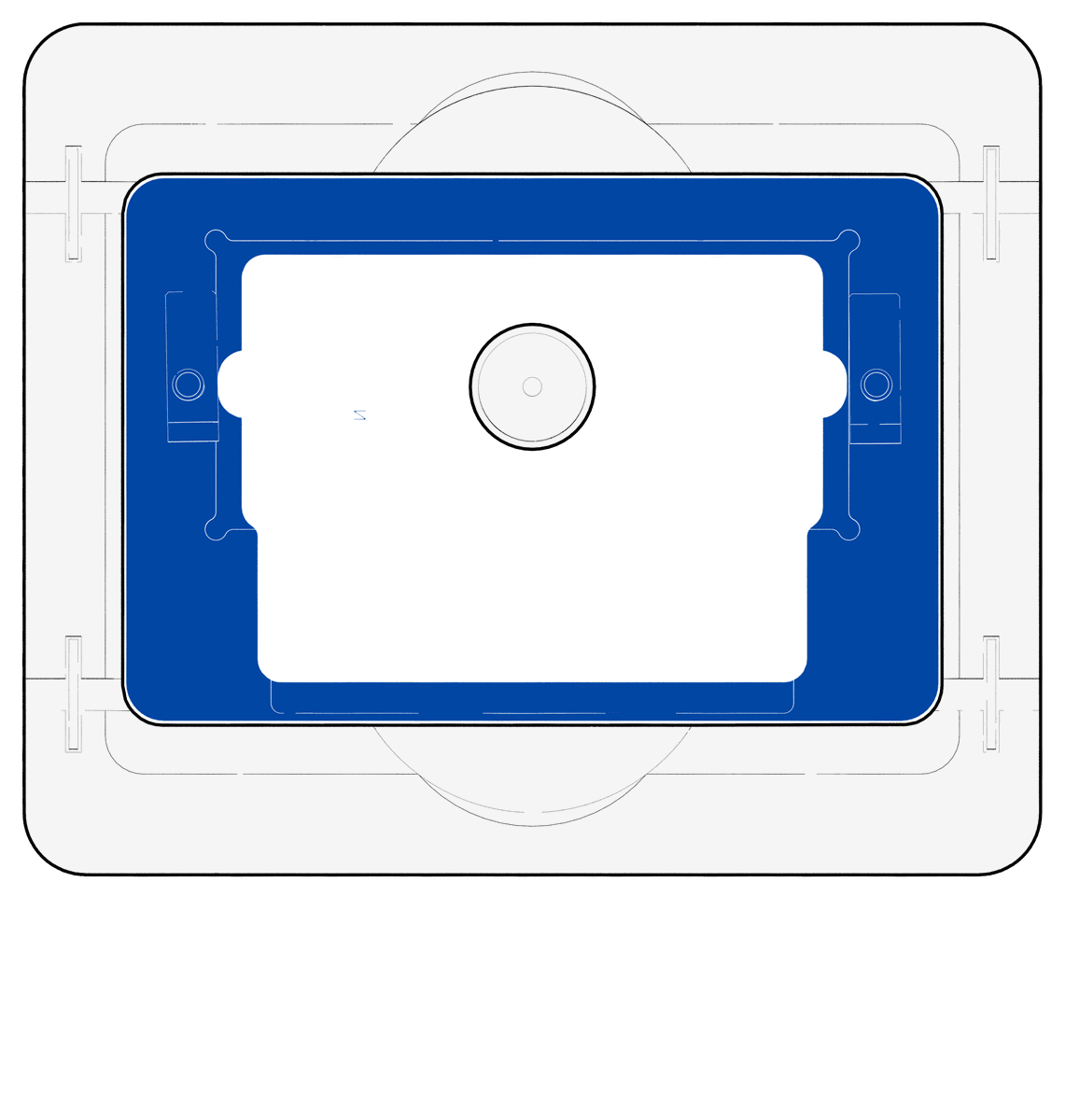
Start with an ANSI/SLAS microplate holder
Remove any existing insert so the holder is clear. The adapter fits into the standard opening.
Mount
Remove any existing insert so the holder is clear. The adapter fits into the standard opening.
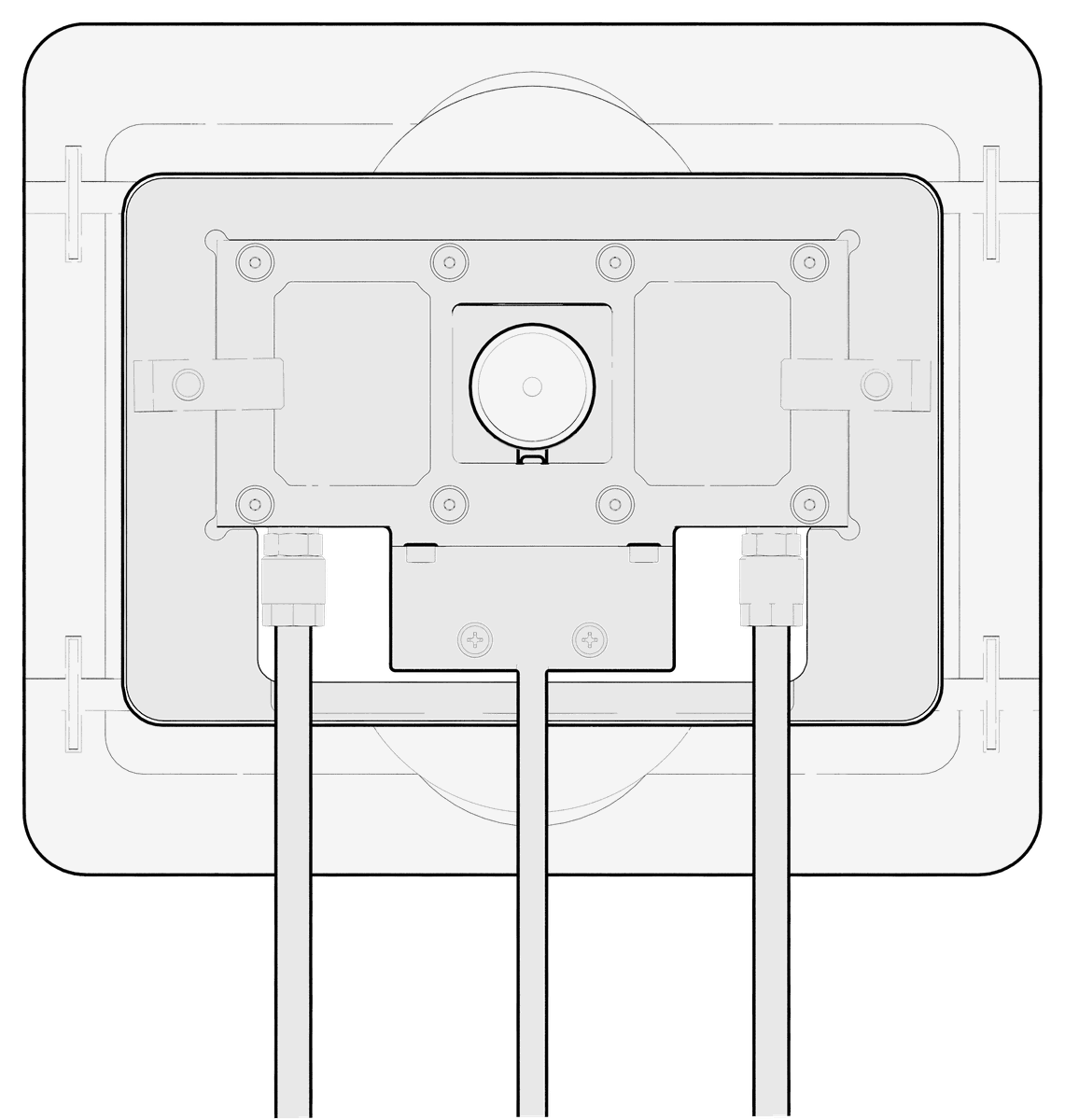
Set the adapter into the holder and let it settle flat.
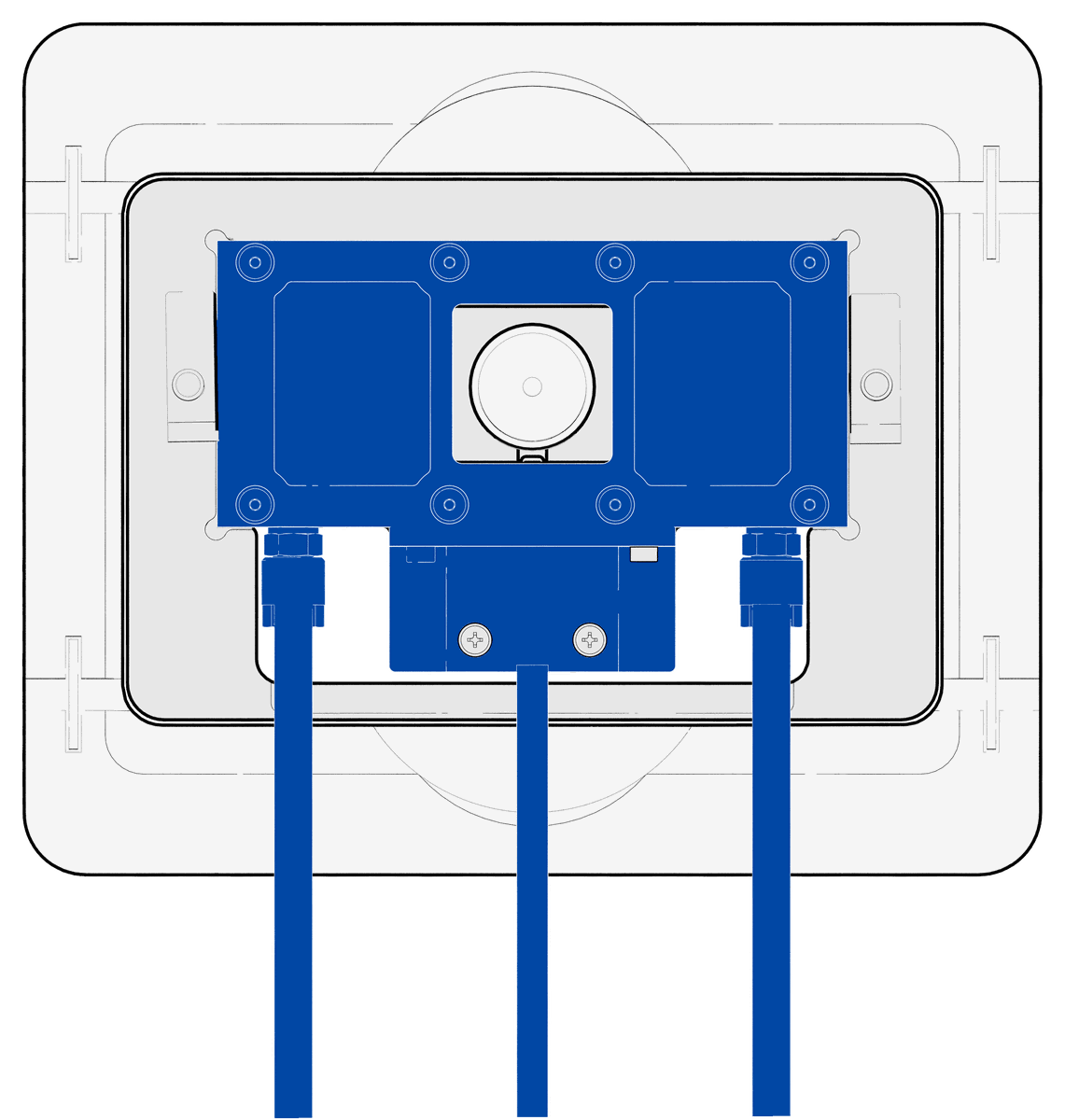
Warning: The frame must sit flush with the holder. No rock should happen when a corner is pressed.Lower the stage into the frame with its three lines.
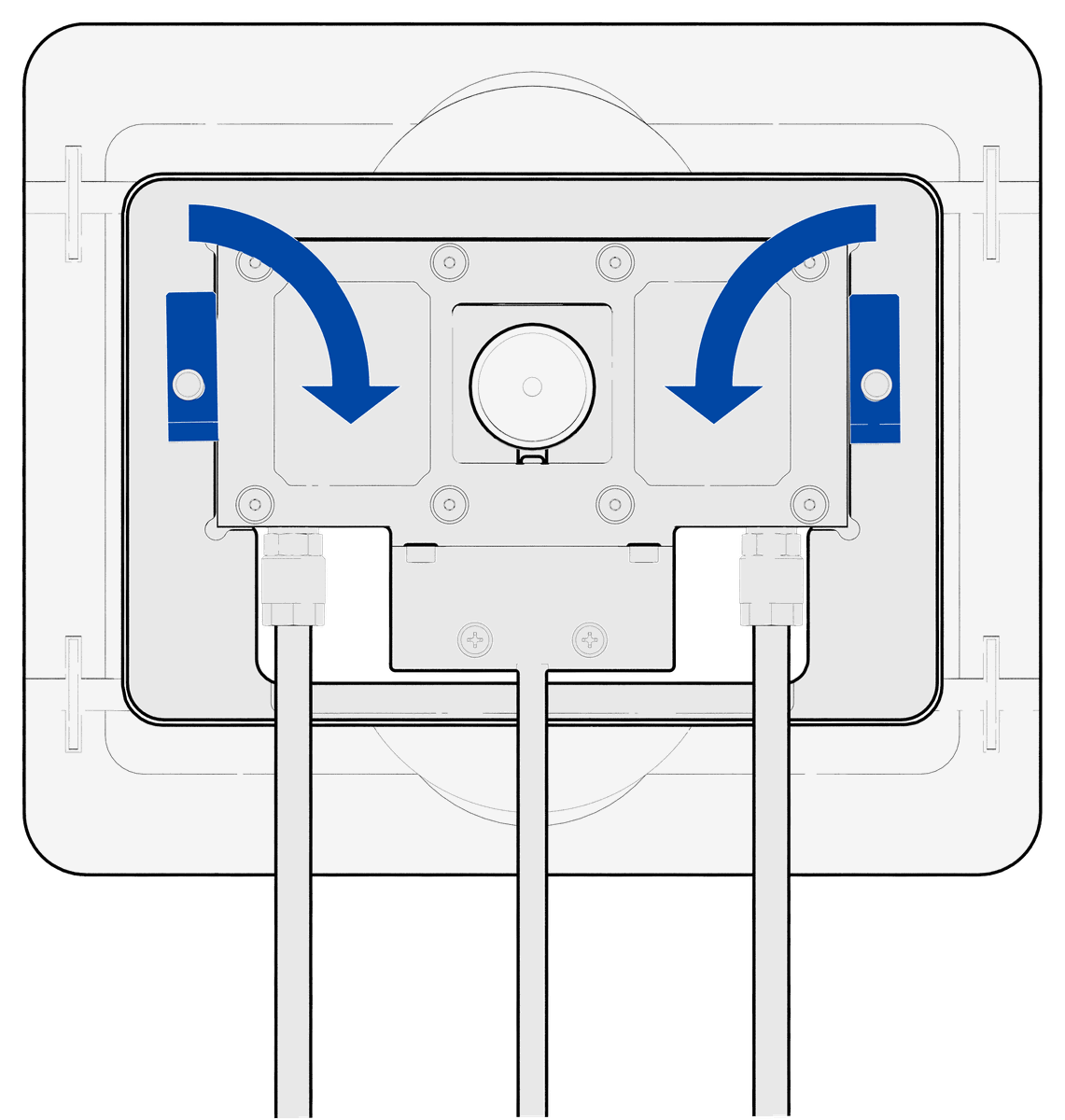
Warning: Route the lines before you seat it. A pinched tube restricts flow without showing an error.Turn each clamp down over the edge of the stage until it holds.
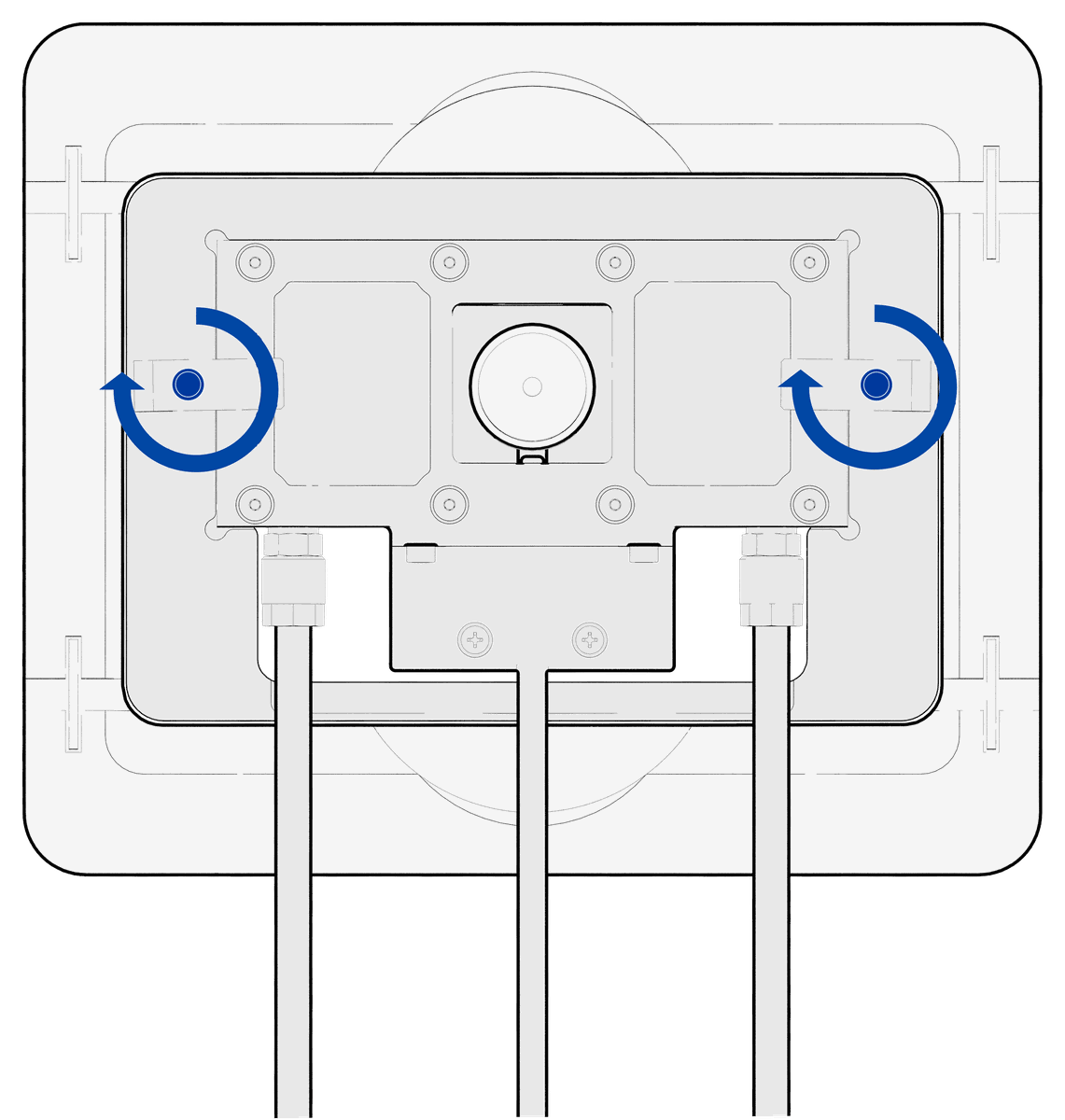
Screw the knurled screws to secure the stage in position.
Warning: The stage should no longer lift at any side.The stage is fixed in the holder, the imaging window is clear, and the lines run cleanly off the back.
Connect
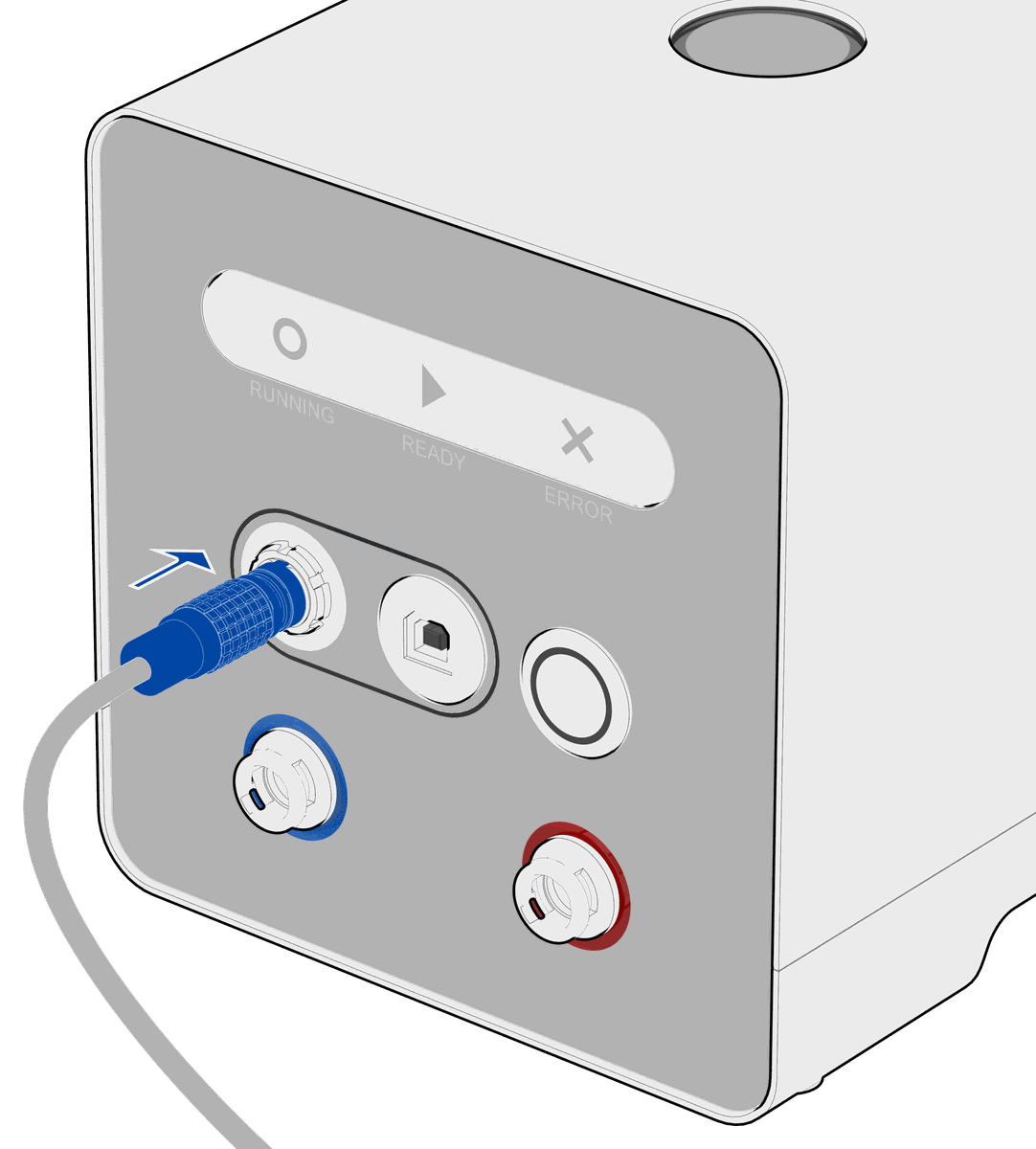
Line up the red dot in the connector and push straight in until the collar clicks. It only seats one way.
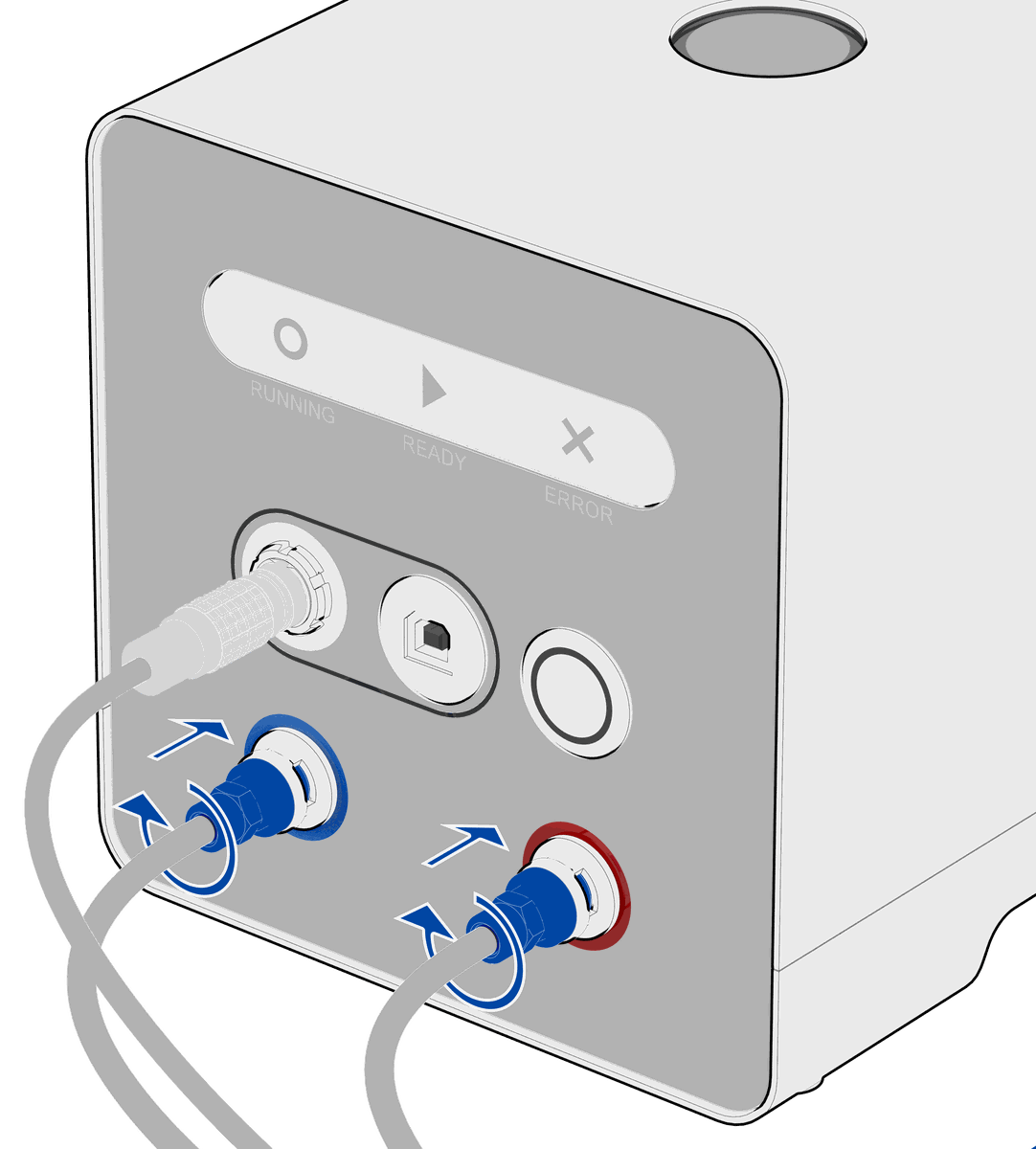
Push the connectors in then make a quarter turn to lock.
Note: Tube order does not matter.
Build your own experiments.
Written out step by step, from clean slide to loaded stage.
The numbers that matter.
These numbers describe the stage. To see what the sample itself experiences, explore the thermal simulation
What you get, with part numbers.
| Item | Part no. | What it does |
|---|---|---|
| Vulcan control unit | VTC-100 | Drives heating and cooling, holds the coolant reservoir, and carries the front panel and USB. |
| Vulcan temperature stage | VSS-100 | The piece in the light path. Holds the sample and regulates its temperature. |
| Vulcan adapter frame | VSS-100-ADP-WP | Mounts the stage to the microscope on an ANSI/SLAS footprint. |
| Sapphire slide | VSS-100-SS | Transparent and heat-conductive. The surface for all experiments with Vulcan. |
| Thermal pad | VSS-100-TP | Carries heat between the stage and the slide. Two per stage. |
| USB-B to USB-C cable | Connects the control unit to your computer. | |
| Power supply | 100 to 240 VAC in, 24 V DC out, into the rear panel. | |
| Control software | Windows and macOS. |
Unlock new experiments.
Contact our applications team for a custom quote, or download the full technical datasheet for your records.